

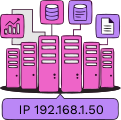
Host servers and applications with a dedicated IP address.

Strengthen Network Security.

Securely access your office network from anywhere.
Select the ideal fixed IP option for your business requirements.
Upgrade your TIME Business plan capabilities today at an exceptional value.

Step 1: Subscribe to Time Fibre Business
Enter your contact number and installation address.
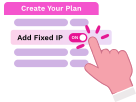
Step 2: Add a Fixed IP
Under Create Your Perfect Plan select
the number of Fixed IPs you need.

Step 3: Complete Registration
Book your installation date and enter your company details.
All Time Fibre Business line are eligible to subscribe to Fixed IP add-on with up to 5 Fixed IP addresses available per line.
A maximum of 5 Fixed IP addresses is available per line. If you require more than 5 Fixed IP addresses, we recommend Time Internet Direct for your business connectivity needs.
No. Time Fixed IP is tied to the time business fibre service contract. If the fibre service is terminated, the Fixed IP service will also be terminated.
There is no implementation charge for Fixed IP. The monthly Fixed IP fee will be added to your existing TIME Fibre Business bill.
Yes, you may retain your existing IP when reducing the number of IP addresses, provided you request it during the change process. For increasing from 1 to 5 IP addresses, retaining the existing IP is subject to availability and whether the additional IP range is still available.
To terminate your Fixed IP add-on, please contact us at [email protected] or call 1800-18-2828 or +603 5021 2188 (overseas).
Fixed WAN IP is a permanent public IP address assigned by the ISP to your internet connection, typically used for remote access and internet-facing services.
Fixed LAN IP is a permanent IP address assigned to devices within your local network, such as POS, CCTV and servers.
Depending on your Fixed IP requirements, here are some recommended scenarios:
| Requirement | Fixed WAN IP | Fixed LAN IP |
|---|---|---|
| Remote VPN access | ✓ | Optional |
| Remote CCTV viewing | ✓ | ✓ |
| Host a web/mail/application server | ✓ | ✓ |
| Static IP for office printer | ✗ | ✓ |
| Static IP for POS, network attached storage or internal server | ✗ | ✓ |
| IP whitelisting by cloud providers or banks | ✓ | ✗ |
| Internal device communication | ✗ | ✓ |
As a general guide, Fixed WAN IP is suitable for remote access and internet-facing services, while Fixed LAN IP is suitable for devices within your local network that require a consistent IP address.
Secure Broadband
Keep Your Internet Safe and Secure
Backup-As-A-Service
Weather Disasters Like a Pro
Redress your complaints at the Consumer Forum Malaysia CFM www.cfm.my/complaint-channels